Ministry Account Services
MyCardRules
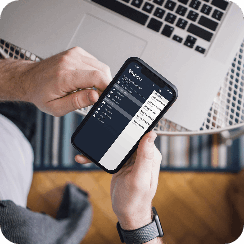
Take control of your AGCU debit card with MyCardRules. Set alerts, manage how and where your card can be used, and lock a misplaced card right from Online or Mobile Banking.
Your debit card goes a lot of places with you. MyCardRules gives you tools to manage how your card is used and helps you keep an eye on card activity—all from AGCU Online and Mobile Banking.
Can’t find your debit card? Lock it temporarily to help prevent unauthorized use. When you find it, you can unlock it just as easily.
Manage transaction types such as online purchases, international transactions and ATM withdrawals. Turn controls on or off as your needs change.
Add another layer of protection by setting geographic limits for where your card can be used.
Set transaction or spending limits to help manage how much can be spent with your card.
Stay informed about card activity with alerts for transactions, declined purchases and other card activity.
Alerts and card controls can help you recognize unexpected activity quickly and take action when something doesn’t look right.
Can’t Find Your Card?
We’ve all had that moment when a debit card isn’t where we thought we left it.
With MyCardRules, you can temporarily lock your card through AGCU Online or Mobile Banking. If your card turns up, simply unlock it and get back to your day.
Temporarily locking your card gives you time to look for it while helping protect it from unauthorized use.
There’s no separate MyCardRules app to manage. Log in to AGCU Online Banking or use the AGCU Mobile Banking app to access your card controls.
Locking your card can help while you take the next step, but don’t stop there. Contact AGCU as soon as possible if your card has been lost or stolen or you notice transactions you don’t recognize.
Log in to AGCU Online or Mobile Banking to manage your debit card with MyCardRules.
If you need help using MyCardRules with your AGCU account, our Member Care Team is ready to help.
Call 866-508-2428