

“`html
How to Transfer Money with Zelle®
Send Money to Friends and Family in Minutes
Zelle® makes it easy to send and receive money directly from your AGCU account using Online Banking or Mobile Banking.
Whether you’re paying a friend back for lunch, splitting expenses, or sending money to a family member, Zelle® offers a fast and convenient way to move money between eligible U.S. bank accounts. Money is typically available within minutes when both parties are enrolled.¹

What Is Zelle®?
Zelle® is a digital payment service built into AGCU Online Banking and Mobile Banking. Instead of using cash, checks, or third-party payment apps, you can send money directly from your AGCU account to someone else’s eligible U.S. bank account using only their email address or mobile phone number.
How to Enroll in Zelle®
Step 1
Log into AGCU Mobile Banking or Online Banking.
Step 2
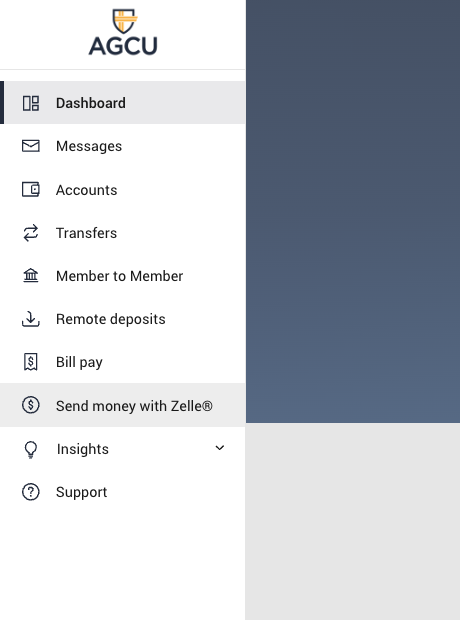
Select Transfer and Pay and then Send Money with Zelle®.
Step 3
Enroll your email address or U.S. mobile phone number.
Step 4
Start sending and receiving money.
How to Send Money
- Select Send Money with Zelle®.
- Choose a recipient from your contacts or enter their email address or U.S. mobile number.
- Enter the amount.
- Add an optional memo.
- Review and confirm the payment.
If your recipient is already enrolled with Zelle®, the money is typically available within minutes.¹
How to Receive Money
Receiving money is simple:
- Share your enrolled email address or U.S. mobile number.
- Ask the sender to send money using Zelle®.
- The funds are deposited directly into your enrolled AGCU account.
If you have already enrolled, no additional action is required to receive payments.
How to Request Money
Need to collect money from a friend, roommate, or family member?
- Select Request inside Zelle®.
- Choose your recipient.
- Enter the amount requested.
- Add an optional note.
- Send the request.
Your recipient will receive a notification and can send payment directly through their participating financial institution.
Using Zelle® QR Codes
Zelle® QR Codes allow you to send money without typing an email address or phone number.
- Open Zelle® within Online Banking or Mobile Banking.
- Select the QR Code icon.
- Scan the recipient’s QR Code.
- Verify the recipient.
- Enter the amount and send.
QR Codes help reduce the risk of sending money to the wrong person.
Zelle® Limits at AGCU
| Limit Type | Amount |
|---|---|
| Per Transaction | $500 |
| Daily Limit | $500 |
| Weekly Limit | $600 |
| Monthly Limit | $2,400 |
Transaction limits may change over time. Contact Member Care for current limits.
Frequently Asked Questions
Are there fees to use Zelle®?
Most consumers can send and receive money with Zelle® without paying a fee.²
Can I cancel a payment?
You can only cancel a payment if the recipient has not yet enrolled with Zelle®. Once an enrolled recipient receives the funds, the payment generally cannot be reversed.
Can I use Zelle® internationally?
No. Both the sender and recipient must have eligible U.S. bank accounts.
What does the purple “Z” mean?
The purple “Z” indicates a contact who is already enrolled with Zelle®.
What if my phone number is already enrolled elsewhere?
If your email address or mobile number is already associated with another financial institution’s Zelle® profile, contact Member Care for assistance moving it to AGCU.
Send Money with Confidence
Zelle® offers a convenient way to send money directly from your AGCU account without sharing account numbers.
Whether you’re paying a friend back, splitting expenses, or sending money to family, Zelle® helps you move money quickly and securely.
¹ Transactions between enrolled users typically occur within minutes.
² Check with AGCU for any applicable account or service fees.
“`